PerfBee is a Sitebulb alternative for teams that want redirect targets suggested for them and blocked pages kept apart from broken ones. Site Pages keeps one list of every page your crawls of a site found.
Compared on 5 November 2026, from each product’s public documentation.
What PerfBee does that Sitebulb's documentation does not list, or lists in part
Capability
PerfBee
Sitebulb
A crawler sites can verify
PerfBeeBot: named user agent, one published IP, signed requests, Cloudflare verified bot
Says it is not a public bot; no signed requests listed
Blocked pages kept apart from broken ones
Marked not checked, never billed
The broken-URL hint fires on 4XX, 5XX, timeouts and errors
One page list across crawls
Every URL the crawls of a site found, in one list, with the pages that went missing
Lost URLs against the previous audit; no page list kept across audits
Redirects suggested for broken pages
A suggested target where a live page matches, downloadable as a redirect file (Starter and up)
Not listed; redirect hints, you choose the target
What third-party scripts cost
Each vendor’s cost on your pages, from your performance tests
Not listed
Real-user monitoring
Own script: Core Web Vitals from your visitors (Business and up)
Not listed
Critical CSS
Extracted per page, ready to inline
Not listed
REST API and webhooks
Both on every plan; webhooks are signed
Webhooks in Sitebulb Cloud and an MCP server; no REST API listed
Checked 5 November 2026 against Sitebulb's public documentation. “Not listed” means we did not find it documented, not that it cannot be done. Something out of date? Write to support@perfbee.com and we fix it. Product names belong to their owners.
Three differences you can see
Redirects suggested for broken pages
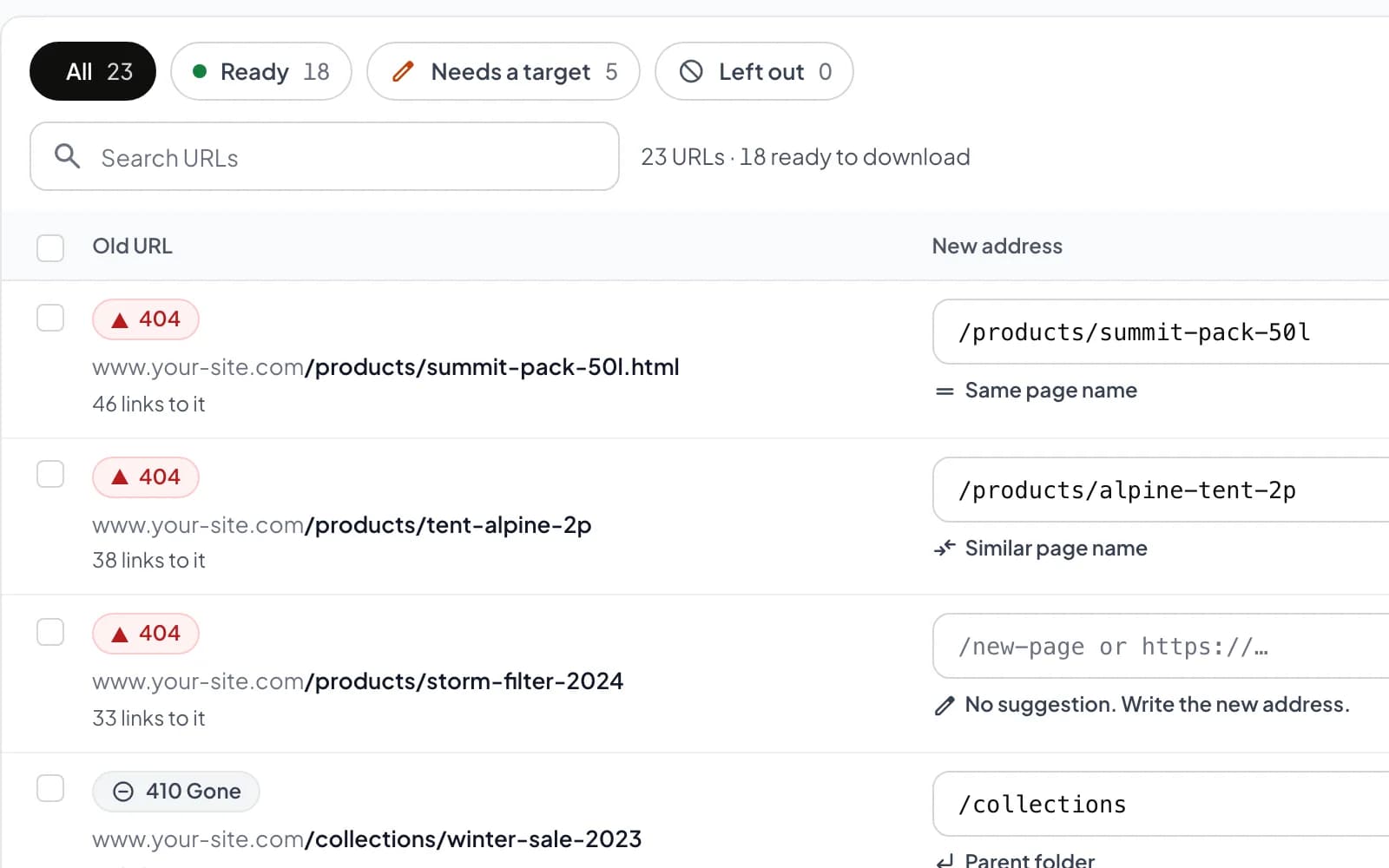
For each URL that returns 404 or 410, PerfBee suggests a live page with the same or a similar name, or the parent folder, and says why. Where nothing fits, it says a target is still needed. Download the checked list as a redirect file (Starter and up).
A cloud crawler firewalls can verify
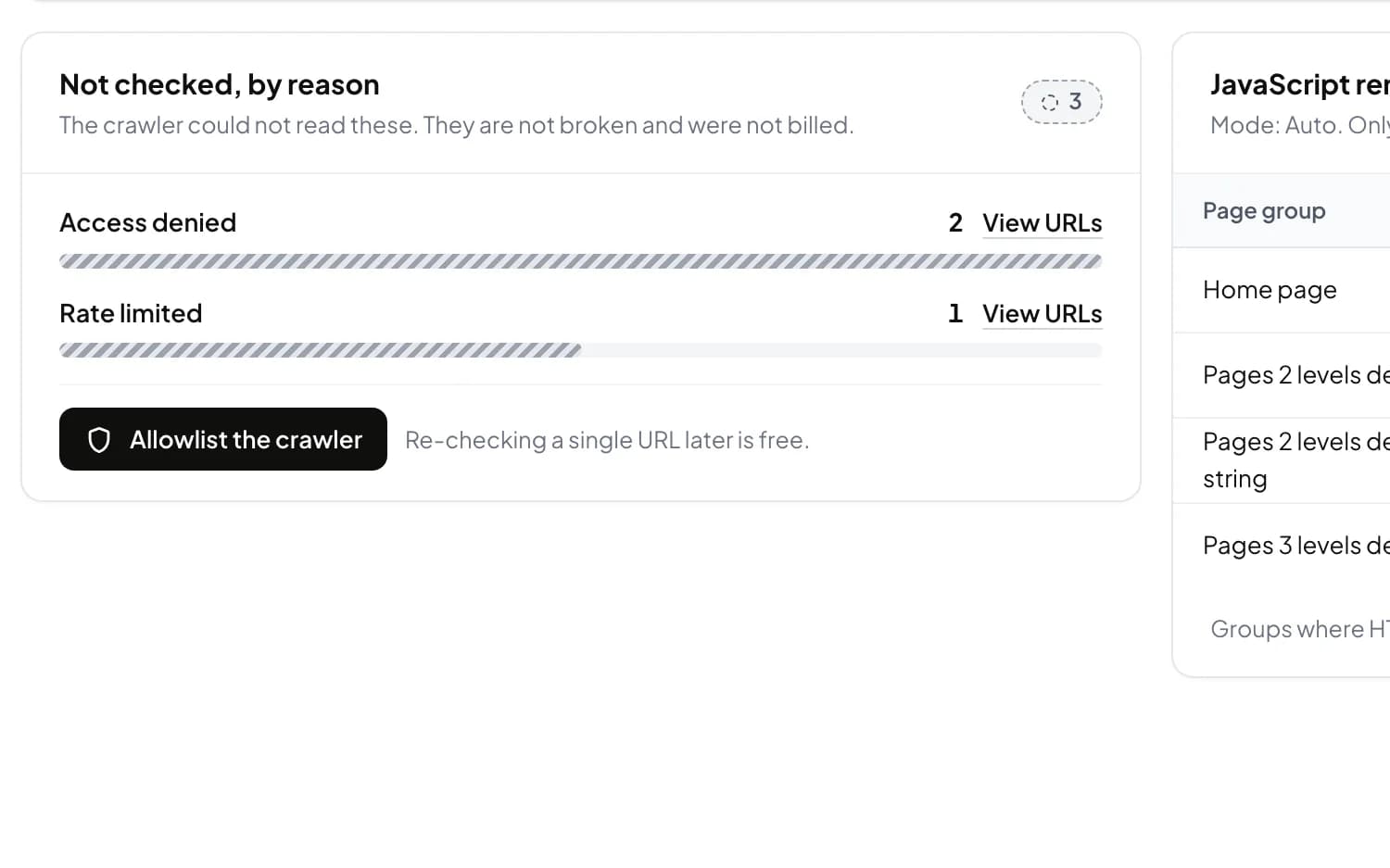
PerfBee crawls from its own servers as PerfBeeBot: a named user agent, one published IP address and signed requests. When a firewall still blocks a page, it is marked not checked instead of broken, and it is not billed.
One page list across crawls
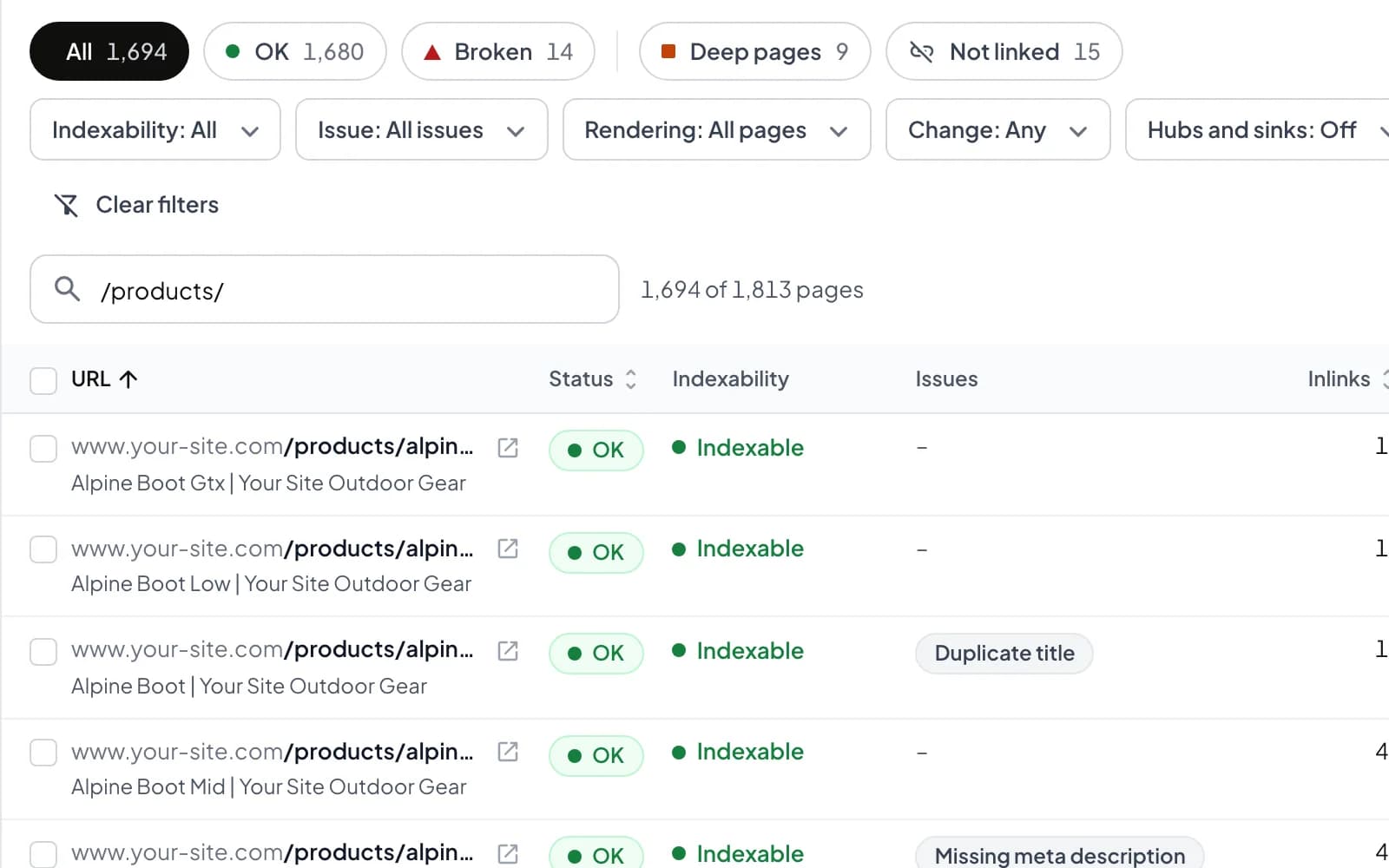
Site Pages keeps every URL your crawls of a site found in one list, with its status, indexability and issues. Filter by folder, see the pages that went missing, and open any page for its details.
Which one to pick
Pick PerfBee if you want
Redirects suggested for broken pages
A cloud crawler firewalls can verify
One page list across crawls
Keep Sitebulb if
Sitebulb suits you if you want its desktop app and hint-based audits, with its cloud edition when you need one.
How to switch from Sitebulb
01
Create a free account and add your site in My Sites.
02
Start a crawl: fast for links and status codes, detailed for SEO and AI readiness.
03
Open What to fix first, then Site Pages for every URL.
04
Schedule the crawl so the next one runs by itself.
Questions
Does PerfBee suggest redirect targets?
Yes. For each 404 or 410 it suggests a live page with the same or a similar name, or the parent folder, and says why. You check the list and download it as a redirect file (Starter and up).
Does PerfBee have an API?
Yes. A REST API and signed webhooks, on every plan, and an MCP server so Claude or ChatGPT can read your crawls.
Can I try PerfBee for free?
Yes. The Free plan includes the Site Crawler and needs no card. A fast crawl uses 1 credit a page, a detailed one 2.
Does PerfBee follow robots.txt?
Yes. PerfBeeBot follows robots.txt, waits as long as Crawl-delay asks (up to 10 seconds) and never gets around bot protection.
More to read
See it on your own site.
Crawl your site from the browser. The Free plan needs no card.