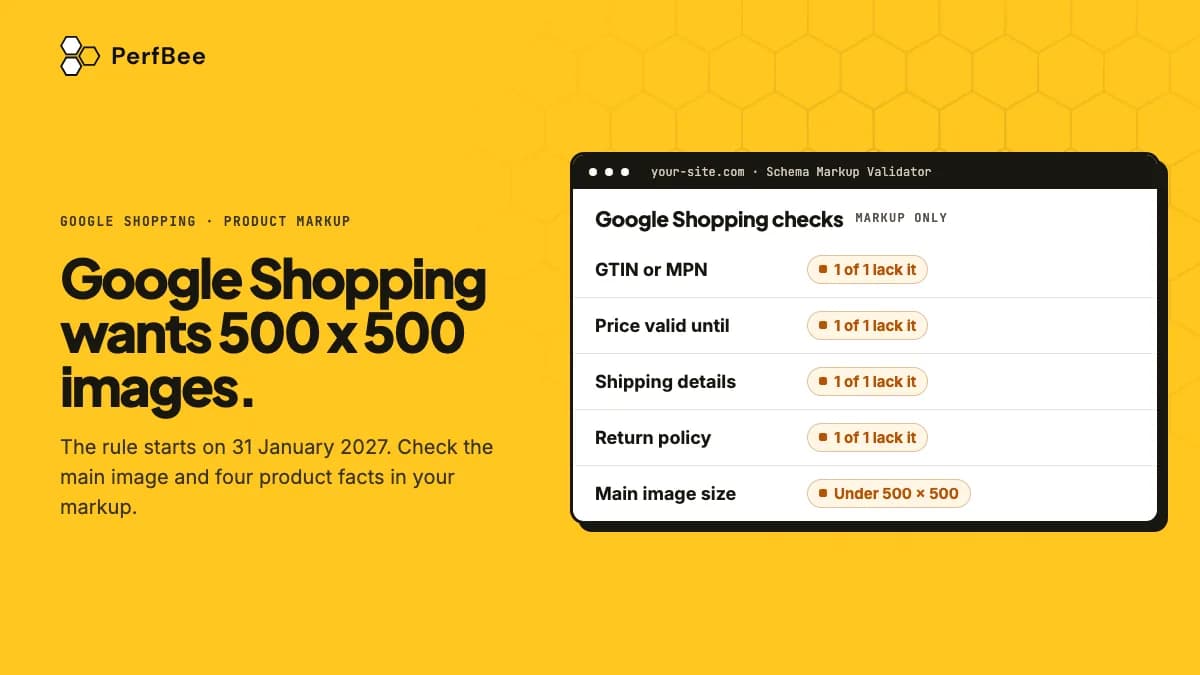
- Google Merchant Center asks for product images of at least 500 x 500 pixels from 31 January 2027. An image that does not meet it "won't appear on Google surfaces".
- Google's merchant listing guide also recommends the GTIN or MPN, a
priceValidUntilthat is not in the past,shippingDetailsand a return policy in its structured data. - Shipping and return settings in Merchant Center or Search Console rank above your markup, so check there before you edit templates.
Product images smaller than 500 x 500 pixels stop showing in Google Shopping on 31 January 2027. Google's Merchant Center help page on product images asks for "image size requirements of at least 500 x 500 pixels for all products beginning January 31, 2027". If an image does not meet the requirements, the same page says, "it won't appear on Google surfaces". Any product with an older, smaller photo is on the list.
What the 500 x 500 rule says
The size is a floor, not a target. Google recommends that you "provide images 1500x1500 pixels or above". The same page lists the file formats it accepts (JPEG, WebP, PNG, GIF, BMP and TIFF) and two limits: no image file larger than 16MB, and no image larger than 64 megapixels. A product with an image under 500 pixels on either side is the one that drops out.
The rule sits in Merchant Center's help, so the file that counts is the one your product data points at (the image_link of the feed). The picture on the product page is usually the same file, but not always. When you fix a small image, replace it in both places: the feed and the Product's image in the page's JSON-LD.
Which product page facts Google recommends in the markup
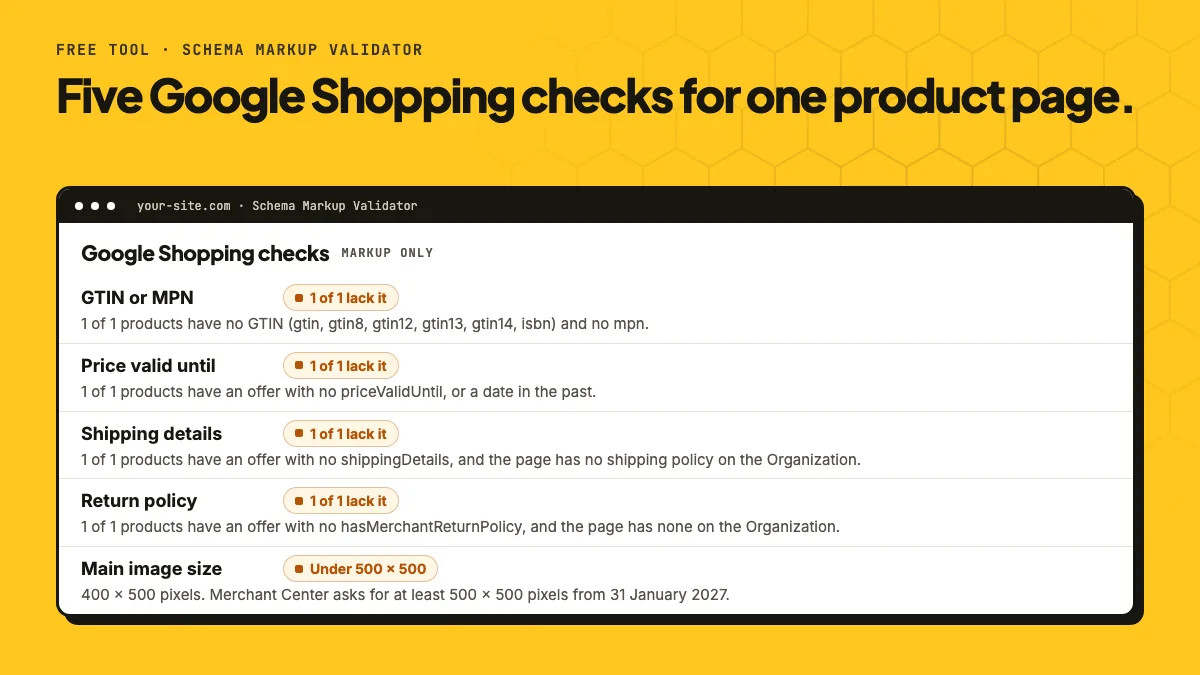
The image is one fact. The structured data of the product page carries the others. Google's merchant listing structured data guide names these:
- GTIN and MPN. Google asks you to "include all applicable global identifiers" (
gtin,gtin8,gtin12,gtin13,gtin14orisbn). It describesmpnas the property that "uniquely identifies the product for a given manufacturer". A handmade or own-brand product without a barcode can leave the GTIN out and keep thempnorsku. - priceValidUntil. Google warns: "Your listing may not display if the
priceValidUntilproperty indicates a past date." A template that prints a fixed date from last year is a bug waiting to happen. Write a date that moves forward: the end of the sale, or a year ahead for a regular price. - shippingDetails. An
OfferShippingDetailson the offer, with ashippingRate, ashippingDestinationand adeliveryTime. Google says it "enables people to see shipping costs and estimated delivery timeframes based on their location". - hasMerchantReturnPolicy. A
MerchantReturnPolicywithapplicableCountryandreturnPolicyCategory. If you use a finite window, "themerchantReturnDaysproperty is required". Google recommends "a global return policy for your business under Organization markup" so you do not repeat it on every product.
One offer with all four looks like this (placeholder values):
{
  "@context": "https://schema.org/",
  "@type": "Product",
  "name": "Example Desk Lamp",
  "image": "https://your-site.com/images/desk-lamp-1500.jpg",
  "gtin13": "4006381333931",
  "mpn": "DL-200",
  "offers": {
    "@type": "Offer",
    "price": 49.00,
    "priceCurrency": "USD",
    "priceValidUntil": "2027-12-31",
    "availability": "https://schema.org/InStock",
    "shippingDetails": {
      "@type": "OfferShippingDetails",
      "shippingRate": { "@type": "MonetaryAmount", "value": 4.99, "currency": "USD" },
      "shippingDestination": { "@type": "DefinedRegion", "addressCountry": "US" },
      "deliveryTime": {
        "@type": "ShippingDeliveryTime",
        "handlingTime": { "@type": "QuantitativeValue", "minValue": 0, "maxValue": 2, "unitCode": "DAY" },
        "transitTime": { "@type": "QuantitativeValue", "minValue": 2, "maxValue": 6, "unitCode": "DAY" }
      }
    },
    "hasMerchantReturnPolicy": {
      "@type": "MerchantReturnPolicy",
      "applicableCountry": "US",
      "returnPolicyCategory": "https://schema.org/MerchantReturnFiniteReturnWindow",
      "merchantReturnDays": 30
    }
  }
}
Put this in the product page template, so one change covers every product page.
Where Merchant Center settings and markup disagree
Shipping and returns can live in three places: Merchant Center or Search Console settings, product-level markup, and Organization markup. Google's guide gives an order of precedence, and settings in Merchant Center or Search Console come before product-level markup. If your shipping and return policy are set there, a missing shippingDetails on the page is not a problem to chase. For return policies Google adds that if you provide both organization-level and product-level markup, it defaults to the product-level policy.
The practical rule: decide where each fact lives, keep that place correct, and make the others agree with it.
How PerfBee checks the image size and the markup
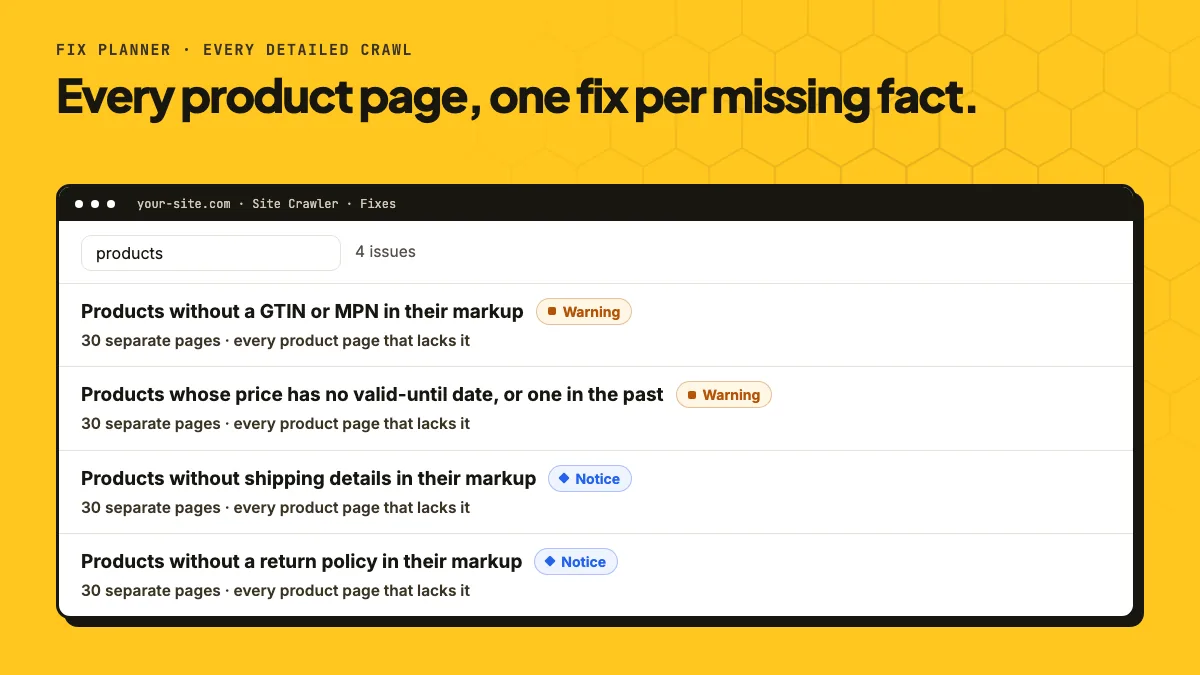
A Detailed scan of the site reads the structured data of every product page. Five fixes in the Fix Planner come out of it: products without a GTIN or MPN, a price without a valid-until date or with a past one, no shipping details, no return policy, and a main product image under 500 x 500 pixels, with the measured size beside each page. The fixes group the pages and say how to fix them. They cost no credits, and PerfBee Fix Planner does not read your Merchant Center account, so a policy set there is not visible to it: set those two fixes aside.
Before the end of January, open your ten best-selling product images in a browser tab and read their pixel size. If the smallest is under 500, you have a list to work from.